Stop Collecting Apps: Build Your Student Learning OS
By FreePare Team · Wed Aug 26 2026 · 15 min read
It is 11.47 on a Sunday night. Meera is in her third year, placements start in four months, and she is sitting with her laptop open and her phone face-down and buzzing. There is an assignment deadline somewhere in her calendar, three folders of unread PDFs on the desktop, lecture notes split between Notion and the default notes app, 214 overdue flashcards in Anki she keeps swiping away, and an AI-generated study guide she has not opened because she cannot remember which prompt produced it.
She has spent more of this semester organising her learning than doing it.
If that feels uncomfortably familiar, it is not a personal failing. It is a system design problem. Students are managing four fundamentally different kinds of work — commitments, information, memory, and now AI assistance — using tools that were never designed to talk to each other. The result is not productivity. It is fragmentation.
This guide is not here to sell you another tool. It is here to help you build a system: every piece of software gets a contract, every handoff has a purpose, and you stay at the centre of it.
Why more apps create less trust
Here is a pattern that plays out in hostel rooms and college libraries everywhere.
You see a deadline on the college portal. You add it to Notion. Then your phone calendar. Then a sticky note. Somewhere in the shuffle the date shifts by a day, and now you have three versions of the same deadline and no idea which one is real.
Or you ask an AI to summarise a paper. It gives you something plausible. You paste it into Obsidian, and into Notion too, just in case. Two months later you are writing an essay and cannot trace a single claim back to the original source. The summary sits there looking authoritative, orphaned from the truth.
This is not about any app being bad. Notion is powerful, Obsidian is excellent, AI assistants are genuinely useful. The problem is that capability is not reliability. A tool can do everything and still be used in a way that creates duplication and debt.
The hidden cost is not the subscription. It is the tax of deciding, every single time something appears, where it belongs. Should this flashcard go in Anki or Quizlet? Should this note live in Obsidian or Notion? Should I ask the AI now or after I read the chapter? Fifty of those micro-decisions by Wednesday evening, and the actual work has not started.
The real damage is that you stop trusting your own system. When you cannot find the right version of a note, or remember whether you already studied a topic, you start relying on anxiety instead of process. You keep everything just in case, and your digital life becomes an attic of duplicate tasks and review debt that grows faster than you can clear it.
That is a diagnosis, not a criticism. The problem is not that you are bad at organising. It is that you have been organising without an architecture.
What student productivity actually means
Be honest about something the productivity-video crowd rarely admits: hours spent, notes taken and prompts typed are terrible proxies for learning.
You can spend two hours re-reading a chapter and feel like you studied. You can generate forty pages of notes and feel accomplished. None of it guarantees you can explain the idea to somebody else, solve a new problem, or recall it with the book shut.
Real productivity is simpler and harder. It is converting limited attention into four things:
- Understanding — can you explain the idea in your own words?
- Recall — can you retrieve it without help when you need it?
- Completed work — are you actually submitting assignments, labs and projects?
- Evidence of growth — can you point at something you could not do last month?
The learning research points the same way. Henry Roediger and Jeffrey Karpicke, in Psychological Science in 2006, found that students who tested themselves on a passage outperformed students who simply re-read it when both were tested two days and a week later — even though the re-readers looked stronger after five minutes. Familiarity is a liar. Something looking recognisable does not mean you can produce it under pressure.
So: a twenty-minute closed-book explanation that exposes three gaps is worth more than two hours of re-reading. One submitted lab report whose reasoning you can defend is worth more than a forty-page note archive you never revisit. That is the north star. Not more apps, not more hours — better conversion. The measurement version of this argument, on a real logged week, is in studying smarter without adding hours.
The human learner has to stay at the centre
AI is not the enemy. Used well it is a remarkable tutor, critic and practice partner. But one distinction matters more than most students realise: performing a task with assistance is not the same as learning it.
When AI generates the answer, the explanation or the draft, the immediate task usually goes well. The cognitive work was done by the tool, and you watched. That is not an argument for banning it. It is an argument for building quality gates around it.
The rule is one question, and it applies to every tool in the stack:
Can you explain this, retrieve it, solve it, or apply it without the tool?
If the answer is no, you have not finished learning. You have outsourced the part that mattered.
In practice:
- AI can give the next hint on an aptitude problem. But you must then solve a parallel problem with no hints before the method is yours.
- AI can critique your resume bullet. But you must decide which criticism is valid and rewrite it in your own words.
- AI can generate practice questions. But you must attempt them first, check your own reasoning, and only then ask for feedback.
The software can scaffold and schedule. You must attempt, judge, retrieve and create. That is also exactly what a technical interviewer is testing when they ask you to walk through your own project — the one situation where no tool is available and the difference shows immediately. There is more on that in the technical interview guide.
Give every tool a contract
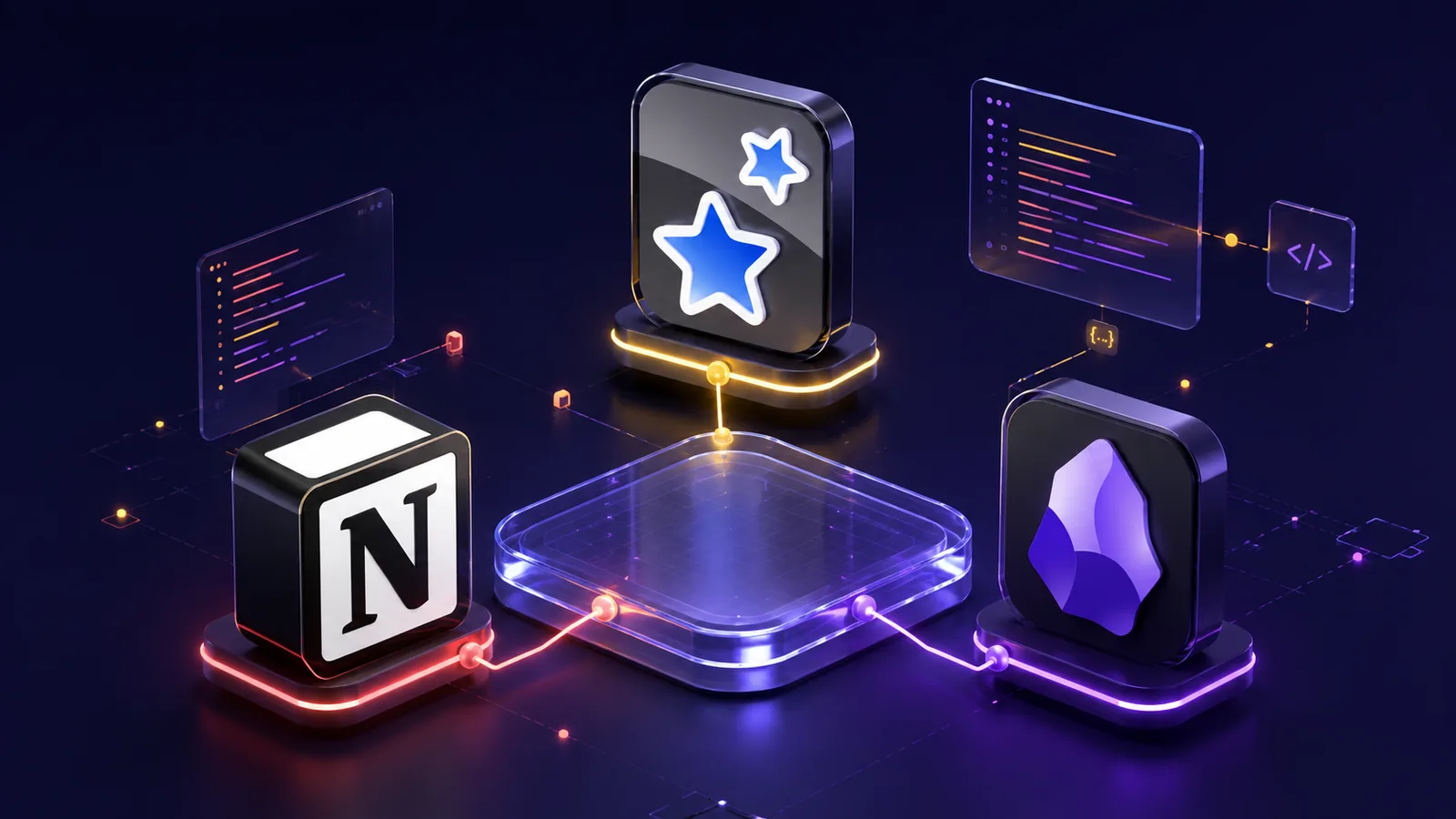
Here is where apps stop being features and start being roles. The goal is not to use four tools because four sounds good. It is that nothing overlaps, nothing falls through, and every handoff transforms information rather than duplicating it.
The roles below are fixed. The brands are not.
| Tool | Owns | Does not own |
|---|---|---|
| Notion | Commitments: courses, deliverables, milestones, next actions, dates, status | Knowledge, explanations, source notes, flashcards |
| AI assistant | Temporary scaffolding: questions, hints, alternative explanations, critique, practice variants | Permanent notes, canonical facts, final work |
| Obsidian | Durable understanding: source notes, concept notes, synthesis, links, metadata | Task management, deadlines, scheduling |
| Anki | Scheduled retrieval: short answerable prompts for things already understood | New concepts you have not grasped yet, full explanations |
Concretely: a deadline lives in Notion. The theory behind an essay lives in Obsidian. A definition you need fluently in a viva lives in Anki. An AI conversation that produced a useful analogy is disposable — once you have verified the idea and rewritten it in your own words, the transcript is not worth keeping.
The non-jobs matter as much as the jobs. Notion does not hold knowledge. Obsidian does not hold deadlines. Anki does not hold concepts you have not understood. AI holds nothing permanently.
When every tool has a boundary you stop asking "where should this go?" and start asking "what is this for?" That is the difference between a collection of apps and a system.
Follow the artifact, not the app
The heart of this is one loop, and at each step something specific changes hands and gets transformed. That thing is the artifact.
Plan, attempt, ask for a hint, explain, retrieve, perform, reflect.
One full cycle, traced:
- Plan. The syllabus says an essay on comparative advantage is due in week six. In Notion that becomes a dated deliverable with three milestones — reading complete, outline drafted, submitted — and each milestone has a next action.
- Attempt. You read the source. You try to explain comparative advantage closed-book. You get stuck on how it differs from absolute advantage, and you note the gap.
- Ask for a hint. You ask the AI for a guiding question rather than the explanation, and work through it yourself.
- Explain. You verify against the original source, then write a concept note in Obsidian: your own explanation, the distinction that confused you, a link to the source, and a link to the trade-theory note from last month.
- Retrieve. Two Anki cards — one definition, one discrimination question along the lines of "when does comparative advantage matter even though absolute advantage exists?" Both for material you have already understood.
- Perform. You write the essay and submit it. The submission is the quality gate.
- Reflect. The feedback says your examples were thin. That becomes a Notion task and possibly a new note on applying theory to evidence.
Notice what did not happen. The AI conversation was not saved as a permanent note. The source was not copied wholesale into Obsidian. The Anki cards do not contain the whole concept note. Each handoff put the information into the right shape for the next stage.
The same loop on a coding course: a failing unit test does not become four copies of the same error transcript. It becomes one hint request, one Obsidian note on the debugging principle, and one new task. The artifact changes shape. The understanding deepens.
One source of truth per artifact
If one habit here saves your sanity, it is this: choose a canonical home for every type of information and treat everywhere else as a reference.
| Artifact | Canonical home | How other tools reference it |
|---|---|---|
| Deadlines and deliverables | Notion | Link to the college portal; never copy the date |
| Verified knowledge | Obsidian | Anki cards link to the note; never paste the full content |
| Retrieval prompts | Anki | Include a source label or an Obsidian link |
| Original sources | Library or reference manager | Cite in Obsidian; never duplicate the PDF |
| Submitted work | The official system, or your repository | Link from the Notion deliverable |
When you are unsure where something belongs, ask what future action it has to support:
- Do something by a date — Notion.
- Understand and connect ideas — Obsidian.
- Recall without help — Anki.
- Get unstuck right now — AI, and temporarily.
One more rule: your college's official portal stays authoritative for deadlines even when Notion holds your working plan. Your personal system does not override the department. Link back, and stay honest.
Build the smallest version, in one course
This is where most people go wrong. They try to build a semester-wide system on a Sunday afternoon, install seventeen plugins, create databases for databases, and are back to chaos by Wednesday.
Pilot it in one active course for seven days. One course, one week. The starter kit:
- One Notion view holding the deliverables, milestones and next actions for that single course.
- One AI protocol: attempt first, ask for a hint second, explain it back third, verify before saving anything.
- Five or fewer Obsidian note types — source notes, concept notes, synthesis, error log, project notes.
- One modest Anki deck, twenty cards at most, all for things you genuinely understand.
Run it by hand before you think about plugins or automatic card generation. If you cannot do it manually for a week, automation will only speed up the mistakes.
Then set two if-then rules, specifically worded:
If the Wednesday lecture ends, then I spend fifteen minutes turning only the two hardest ideas into concept notes.
If an Anki card is missed repeatedly, then I go back to the source and repair the understanding rather than adding more repetitions.
The goal is not a perfect system. It is a testable one. You will know it is working when you spend less time managing tools and more time doing the work.
Measure system health, not digital output
A weekly scorecard, with no universal thresholds — you set your own baseline and watch the trend.
| Metric | What to track | Why it matters |
|---|---|---|
| Deliverable health | Do active items have a clear next action? Are you submitting on time? | Output is the one metric that cannot be faked |
| Unaided performance | Can you explain, solve or retrieve without your notes? | The only proof that learning happened |
| Review backlog | How many cards are overdue? How many notes need review? | Backlog is friction, and it compounds |
| Recurring errors | Are the same mistakes returning in practice sets? | A repeated error is a gap in understanding, not in effort |
| Maintenance time | Minutes per week spent managing the system itself | If upkeep exceeds value, simplify or delete |
A healthy week ends with one thing submitted, one misconception corrected, and a review queue you can clear. It does not end with eighty new notes and nothing shipped.
One hard rule: if a dashboard needs ten minutes of weekly cleanup and changes no decision, delete it. The system should get simpler over time, not more elaborate.
You probably do not need all four tools
The architecture matters more than the brands, and if you are in your second year with three courses and a part-time commitment you do not need the full stack.
- Second-year student: Notion for commitments, paper flashcards or Quizlet for recall. Add Obsidian only when you start connecting ideas across courses.
- Placement season: Notion for the company calendar and application status, Anki for formulas and definitions. Use AI only for practice questions after you have attempted the topic. The round-by-round schedule to hang it on is in the campus placement guide.
- GATE or a research project: Obsidian plus a reference manager, minimal Anki for methods and terminology, Notion only if several projects have hard deadlines.
- Phone-only: Notion mobile for tasks, Anki mobile for review. Skip Obsidian until you have regular laptop time for real writing.
Consider cost, offline access, and whatever your college's policy on AI tools is. If a tool is not allowed in your programme, do not build the system around it. The best stack is the smallest one that solves your actual problems.
Four students, four systems
Meera, political economy. She pilots it in one course. The essay and three milestones go into Notion. After reading about comparative advantage she closes the book and tries to explain it, gets stuck, asks the AI for a guiding question, works through it, then writes two verified concept notes. Four Anki prompts, all for distinctions she needs in seminars. On Friday she deletes a reading tracker she built in week one: it took ten minutes to maintain and never changed what she did next.
Arjun, placement aptitude. He has a large syllabus and maps it in Notion at chapter level, not as hundreds of individual tasks. Every mock-test error gets diagnosed: he attempts a correction first, the AI supplies a hint only after that, Obsidian holds the corrected principle and the error pattern, and Anki gets one formula cue — but only where recall, rather than understanding, is the bottleneck. His weekly metric is not hours watched. It is repeated error rate by topic, which is the same classification the mock test guide uses.
Lakshmi, data structures. Her Notion milestone reads "implement binary search and test the edge cases". The AI may ask her debugging questions but may not write the final function. Obsidian records why the loop invariant holds. Anki tests complexity and boundary conditions. The quality gates are the working repository and her ability to explain the trade-off to a classmate.
Samira, literature review. Two thousand words on remote work and well-being. Notion tracks screening, reading, synthesis and draft. AI helps generate search synonyms but never supplies a citation. Obsidian holds source-backed claims and the findings that disagree with each other. Anki is limited to methods and terminology for her supervisor meeting. Every saved claim points back to a source she actually opened.
The handoff rule
If you remember nothing else, remember the sequence:
Notion commitment, student attempt, AI scaffold, verified Obsidian explanation, selected Anki prompt, independent performance, Notion adjustment.
Every arrow is a transformation and a quality gate, and you are at the centre of all of them.
What to do this week
The best stack is not the one with the most features. It is the smallest set of clear roles that helps you think, remember and finish without hiding the actual work.
You are not a defective user. You are a person trying to operate inside software designed for engagement metrics rather than for your cognition. The apps are not the problem; the absence of an architecture is.
- Run a fifteen-minute audit. List every place your deadlines, notes, sources, questions and flashcards currently live. Count the duplicates.
- Pick one course and pilot for seven days. Not your whole life. Build the smallest version and run it by hand.
- Judge it by one standard. At the end of the week, can you explain something you studied without opening your notes? Did you submit something? Is the system simpler than when you started?
If yes, you have built something real. If no, you have built another dashboard — which is useful to know on day seven rather than in March.
Tags: ai-productivity-for-students, personal-knowledge-management-for-students, productivity-system-for-students, student-learning-system, digital-study-system, smart-study-tips, how-to-study-better